
Accessibility Guides
If something's accessible, it means that it was designed and developed so that people with disabilities can also use it. Your social posts must be accessible to ensure that posts are inclusive to all individuals. Keeping social media accessible means recognizing exclusion, learning from your followers, and presenting information in the clearest ways possible.
For accessibility reasons, posted photos should include either a caption or alt-text. If the post is a video, closed captioning must be available. Text-to-speech software reads all elements of a web page or social media post – including emojis. Avoid long strings of emojis, or alternating each word with an emoji, to make the experience more accessible to people with visual impairments.
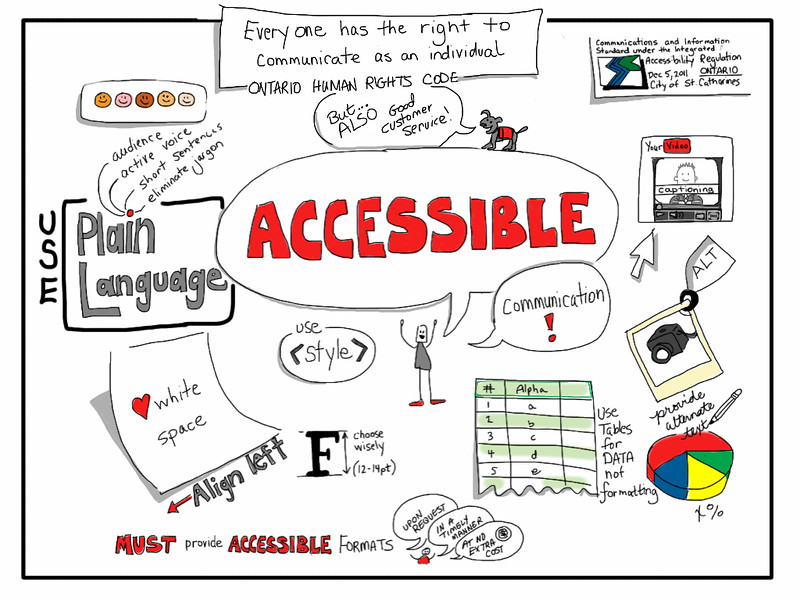
Here are some tips to ensure that your social media posts are accessible for people with disabilities:
- If it is a photo:
- It needs to be a plain image with no text on it.
- Alternate (alt) text needs to be added for the image if the platform supports it, or an image description should be included at the end of the post if the platform does not support alt text.
- If it is a video:
- It needs to have accurate captions.
- Anything important going on the screen needs to be talked about out loud.
- If it is text:
- It needs to be free of acronyms, jargons and abbreviations.
- It needs to save any mentions and hashtags for the end of the post.
- The hashtags should be camel cased, #LikeThisExample.
- It should use emojis sparingly, if at all.
It is important to follow the accessibility guildelines in different social media platforms. Here are some links for accessibility guide provided for some social media platforms:
- Twitter Accessibility Guide
- Facebook Accessibility Guide (Photo)
- Facebook Accessibility Guide (Video)
- LinkedIn Accessibility Guide (Photo)
- LinkedIn Accessibility Guide (Video)
- Instagram Accessibility Guide
- YouTube Automatic Captioning
- YouTube Manual Subtitles and Closed Captions
Here is the next quiz to check your understanding.

Image: "Accessible Communication" by Giulia Forsythe is under CC BY-NC-SA 2.0